
Turn data sources into interactive information and export the created reports in a wide variety of formats including ones compatible with Microsoft Excel or XML servers.
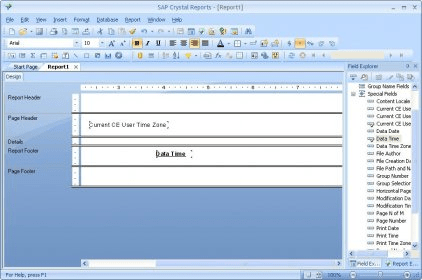
Crystal Reports is an awesome application that helps you create, edit and manage your business reports. All you have to do is select columns and rows from a database such as Sybase, Ingres, Microsoft Access, MySQL, Interbase or Oracle. Then, you can select the format of your report from a simple column of values to pie charts, bar charts or cross-tab summary tables. The report is saved as an RPT file. It can be previewed on the screen, printed or exported to other formats such as PDF, Excel or CSV. Furthermore, you can create brilliant visualizations by adding video, animated charts and dynamic graphics to your reports. You can choose the language you want during the process of installation, and, if you need to work with a different language to create your presentation, you can change it in the report designer UI. End users can run Crystal reports with different viewers, schedulers and report distribution tools. Besides, Crystal reports can also be managed and run from a web portal like Business Objects Enterprise, Business Objects Crystal Decisions and Crystal Reports Server.





Comments (17)